

Address
The Address element allows you to create multiple fields at once. The following fields are included and enabled by default:
Street Address
Street Address Line 2
City
State/Province
Zip Code
Country
You can disable fields separately to show only the important ones for your needs. When the Address field is set to required, all fields need to be filled. It’s not possible to set only individual fields as mandatory.
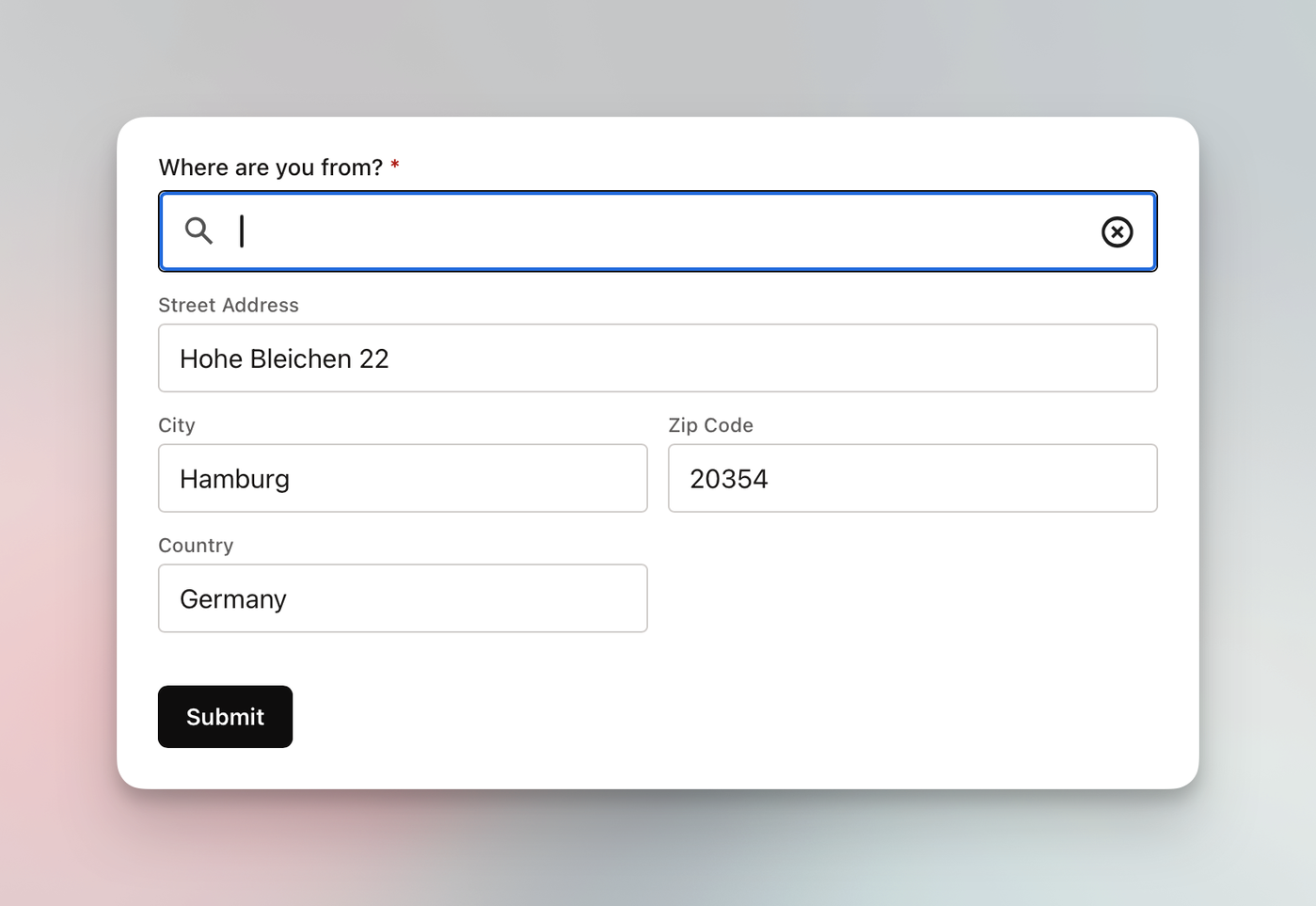
It’s currently not possible to change the labels for those individual fields. By default, labels are in US English, but if you change the locale of your workspace, the labels are automatically translated to the language you selected.
Auto complete
In addition to having static fields for your visitors to manually type in their data, you can also enable autocomplete. By doing so, a Google Maps-based search field will appear above the enabled address fields, allowing visitors to type in their street address and, by clicking the suggestion, autofill the additional visible fields, e.g., zip and city.
You will need to provide your own Google Maps Platform API key.