

Airtable
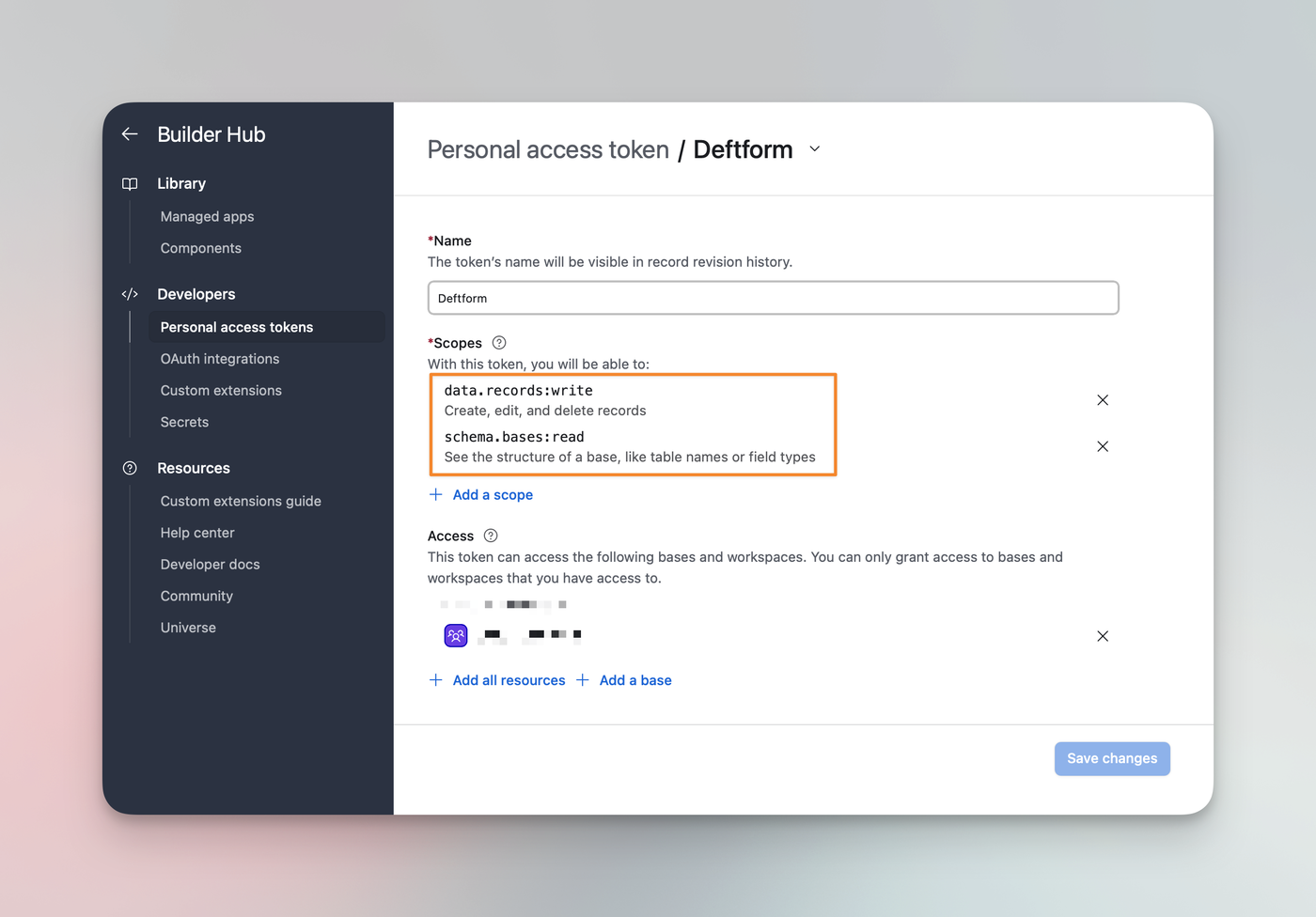
With our direct Airtable integration, you can add or update rows in your Airtable bases. To get started, you will need to create an "API token" in your Airtable account. Login to your Airtable account, then find the "Builder Hub" section and click on “Personal access tokens”.
From there, you can create a token. Please be sure to set scopes: data.records:write and schema.bases:read. Under “Access,” select the Base(s) the token can access.
Add token to Deftform
Next up, login to your Deftform account and head over to the "Connection" settings at https://deftform.com/settings/connect#airtable and paste the API token.
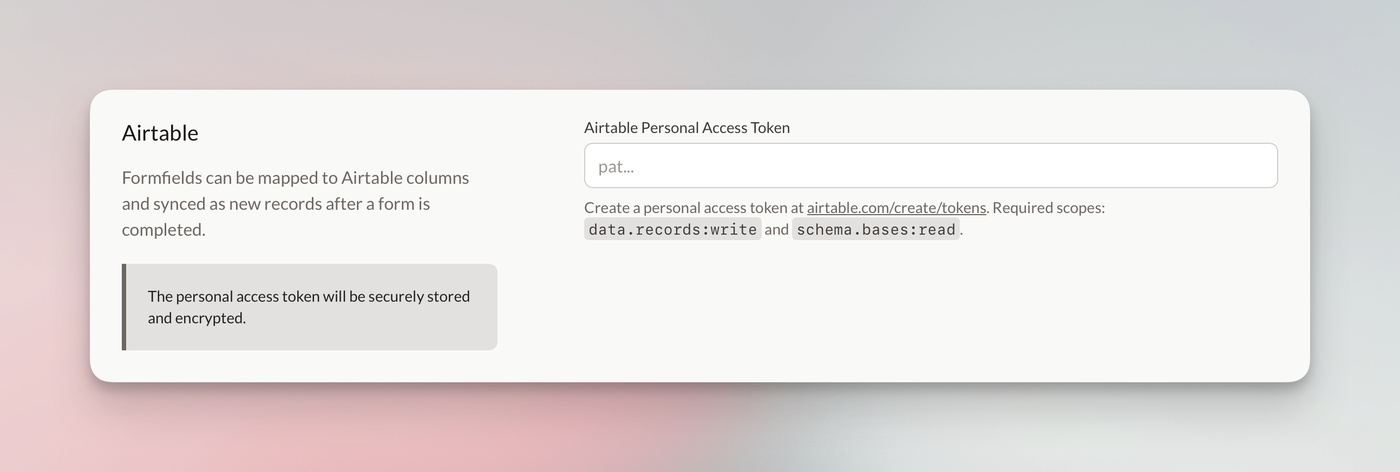
After you saved your settings, go back to the same section and sync your Airtable bases and fields.
Connect to form
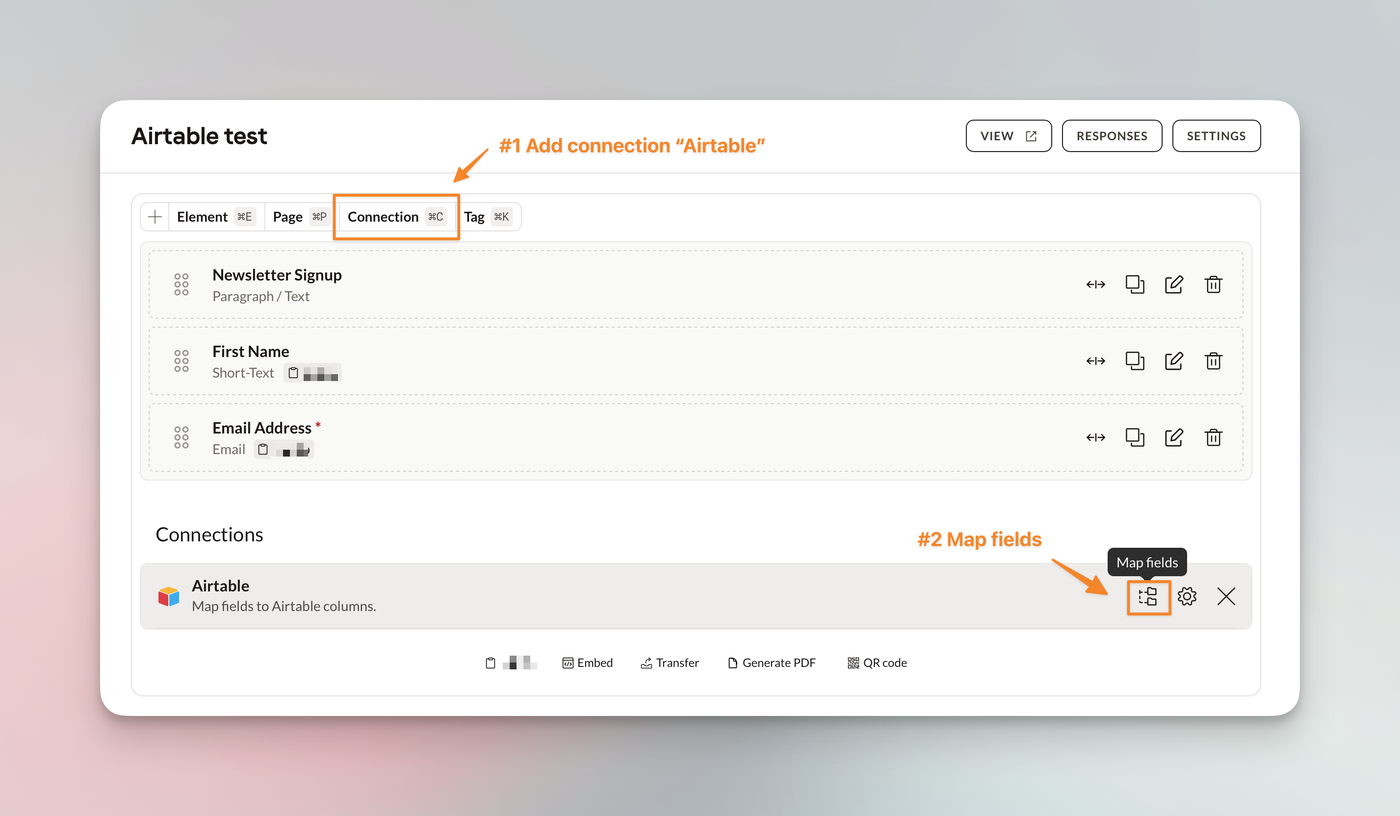
Now that we know about the existing bases and fields in your Airtable account, you can create a connection for your form and map the fields. Go to any of your forms. At the bottom, you will find the "Add connection" option, choose "Airtable".
When the connection is added, you can start mapping your fields.
Make sure to create the appropriate fields within Airtable.
For example, the “Multiple Choice” field in Deftform should be a “Multiple Select” column in Airtable. The “Opt-in checkbox” in Deftform should be a “Checkbox” column in Airtable.